
HOW TO: Register an External Content Type with the SharePoint Search Service to make the data searchable
November 12, 2009
HOW TO: Programmatically create a SharePoint 2010 External Content Type
December 1, 2009
When MOSS 2007 came out I created a blog post very similar to this one. It turned out to be one of my most popular posts and I received many comments and private emails thanking me for putting the post together. Since the post helped out so many folks I decided to create an updated version for SharePoint 2010.
SharePoint 2010 ships with many predefined site templates you may use to create site collections and sub sites. Sometimes the out of the box site templates will meet the needs of your project. Other times, the out of the box site templates may need to be enhanced.
Knowing which site template has the functionality you need to deploy, or use as a baseline for a custom site definition, is one of the key decisions you make when you architect a SharePoint deployment. This being said, it is important to understand the templates SharePoint 2010 comes with out of the box and what sub sites, lists and pages they support.
This post outlines the site templates SharePoint 2010 comes with out of the box and what sub sites, lists and pages they support. As usual, I’ve documented several useful pieces of information developers will find handy when working with the out of the box SharePoint site templates.
If you install Silverlight on your machine you’ll be presented with a fancy new interface to create sites (shown below). As you can see, SharePoint 2010 offers some guidance when creating new sites by providing descriptions and preview images for each out of the box template. However, not all of the descriptions list which resources the site comes provisioned with and the preview images are no help at all. See the image below, I think you will agree.
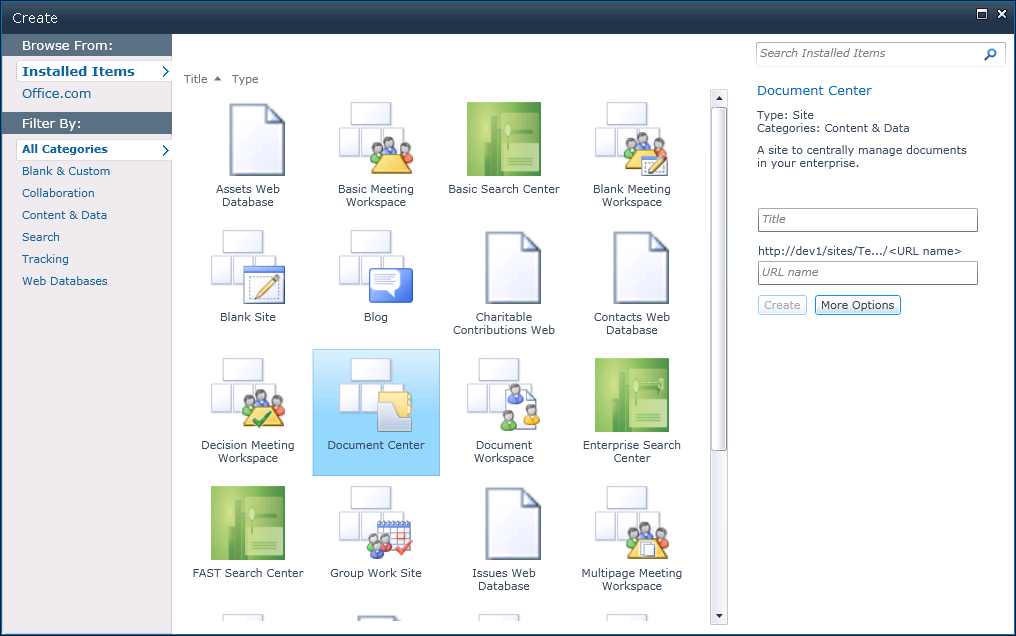
To better understand the inventory of out of the box site templates, I created a site collection based on each out of the box site template. After creating 29 different site collections (that’s 6 more than MOSS 2007 if you are keeping track) I realized it would be hard to remember what each one looks like and what resources they offer. So, I decided to take some screenshots and document the site templates.
Preview Images
If you care to see what all of the preview images look like, you can find them in the following directory on your SharePoint server:
C:Program FilesCommon FilesMicrosoft Sharedweb server extensions14TEMPLATELAYOUTS1033IMAGES
The file names for the preview images corresponding to each site template are listed in the tables below.
A More Detailed Look
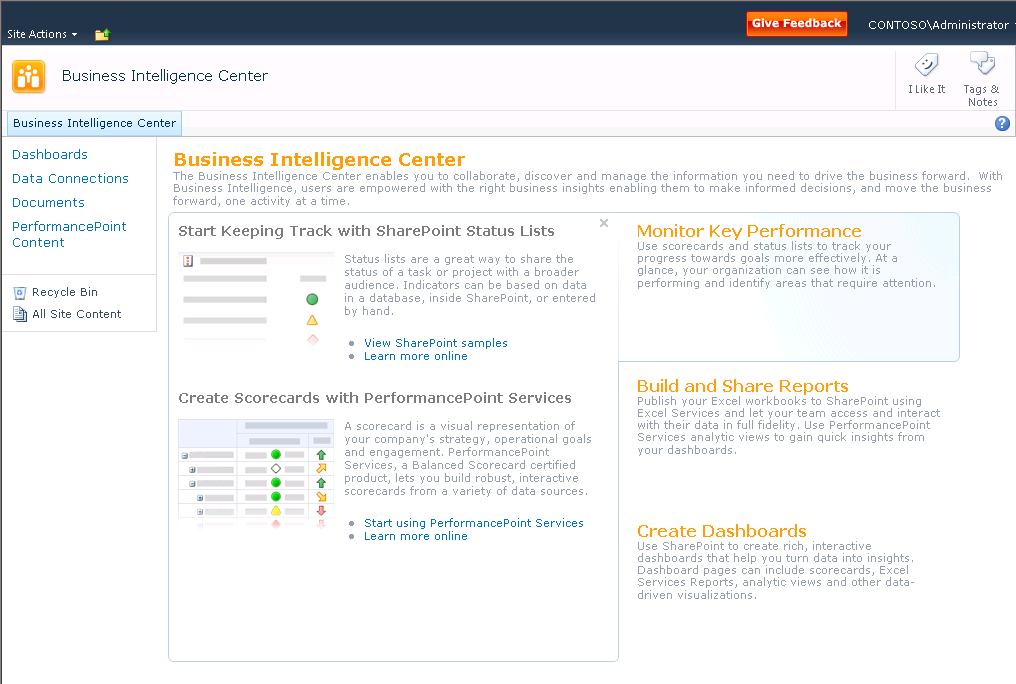
If you care to see what each of the home pages for the site templates look like you can download screenshots of each and every site template in this zip file. The screenshots should provide you with a good understanding of the different layouts that come with each out of the box template. This should save you a lot of time creating each type of site template on your own machine!
Here’s an example, showing the new Business Intelligence Center; oh how fancy!
Important planning information related to the out of the box site Templates!
Available Sub Site Templates
The next table lists the WEBTEMP XML fragment files each site template and configuration are defined in, the concatenated template and configuration string you need when making sites with the site template programmatically, and the file name of the preview image. If you wish to change the out of the box preview images I recommend backup up the existing preview images, then replacing them with your new preview images that have the same file names. Feel free to use the images I created from screenshots of each site template’s out of the box home page to do so. You can download them here.
Note: You may have to perform this process again after a service pack is applied in the future. Editing the various WEBTEMP files that come out of the box is not a recommended approach; that’s why I recommend this approach.
As I mentioned before, knowing which sub sites, lists, and pages are available within a given site template are key pieces of information you will want to know when you architect a SharePoint solution.
New Site Templates
The following site templates are new to SharePoint 2010.
| Group Work Site |
| Visio Process Repository |
| Assets Web Database |
| Charitable Contributions Web Database |
| Contacts Web Database |
| Issues Web Database |
| Projects Web Database |
| Business Intelligence Center |
| Enterprise Search Center |
| Basic Search Center |
| FAST Search Center |
| Enterprise Wiki |
Deprecated / Removed Site Templates
The following site templates are deprecated or removed in SharePoint 2010.
| Wiki Site |
| Site Directory |
| Report Center |
| Search Center with Tabs |
| Search Center |
| Collaboration Portal |
| News Site |
Buried Treasure: Hidden Templates!
Many of the site templates listed in the following table are left over from the previous versions of SharePoint and are marked obsolete. However some of them may be created programmatically. I included the list of all the hidden site templates here for reference.
Hidden site templates (not including Global template or Central Administration):
Leverage this information to create SharePoint sites programmatically
The concatenated template and configuration string is used when creating sites programmatically. See the last line of code below for an example.
//Create a new SPSite object corresponding to your top level site
SPSite newSite = new SPSite("http://dev");
//Create a new SPWeb object from the newSite object
SPWeb newWeb = newSite.OpenWeb();
//Return the collection of sub sites
SPWebCollection subSites = newWeb.Webs;
//Create a new sub site by adding it to the sub site collection
//The new site will have the following metadata:
//Full URL once created: http://dev/newsite
//Name: New Site
//Description: This is the description for my new site.
//Local ID set to 1033 – English
//Site Template: Team Site
//Use Unique Permissions: True
SPWeb newSubWeb = subSites.Add("newsite", "New Site", "This is the description for my new site.", 1033, "STS#0", true, false);
Once again, I hope this post comes in handy for you and saves you the time I spent digging through the SharePoint file system and creating dozens of SharePoint sites to find the information. All the information in this post comes from the public beta 2 version of SharePoint Server 2010. I’ll update this post once SharePoint 2010 goes RTM.
UPDATE: 3/31/2014
Joe Gasper collated the information in the tables which appear in my blog post into an Excel Workbook. You can find it here.